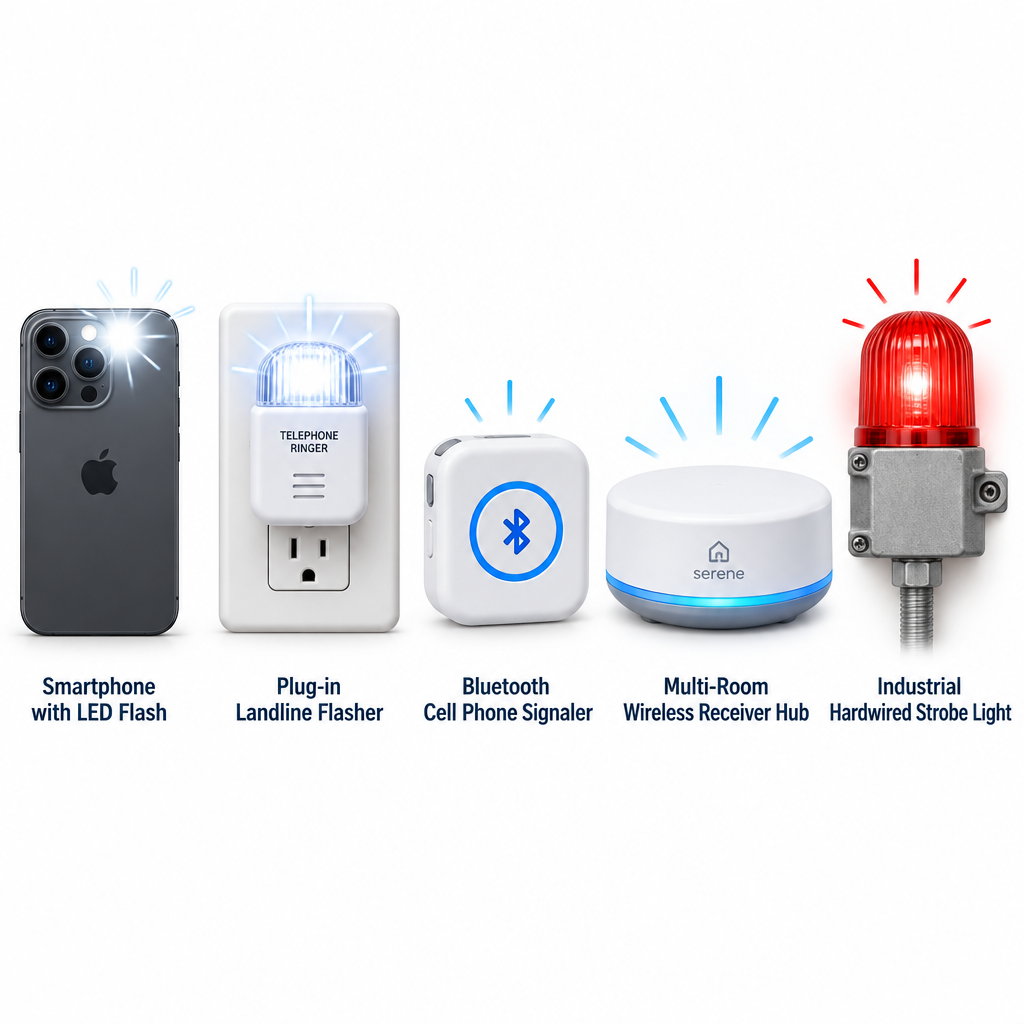
A light for your telephone flashes a lamp or strobe every time a call comes in, so you can see the ring when you can’t hear it. You have five practical options: your smartphone’s built-in flash, a plug-in landline flasher, a cell phone signaler, a whole-home alert system, or a hardwired strobe for loud workplaces. Here is how each one works and how to pick.
How a phone ringer light works
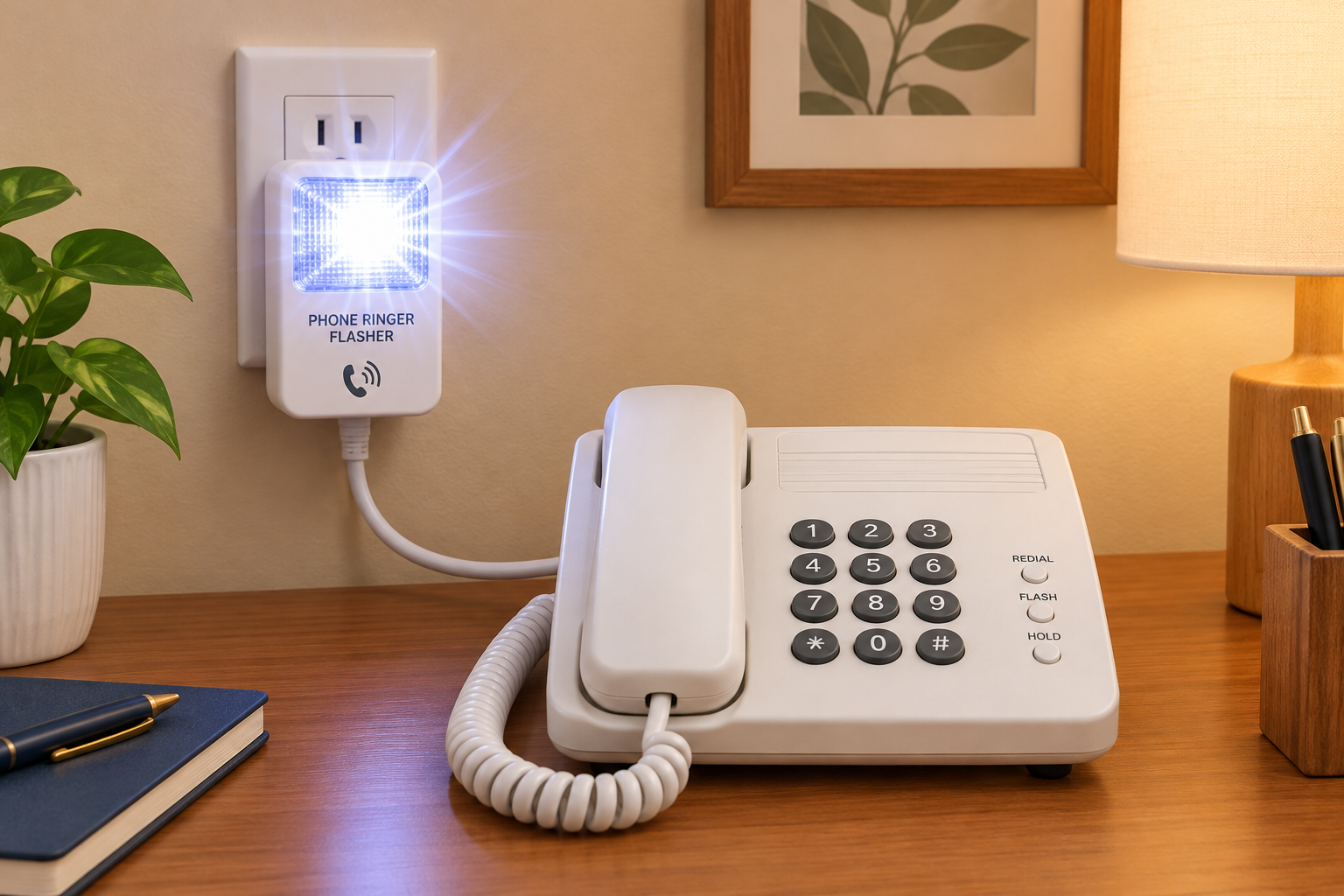
A landline phone flasher sits between your wall jack and your phone. When a call arrives, the line carries a ring signal. The flasher detects it and either fires a built-in strobe or switches on a lamp plugged into it. Most units also have a loud, adjustable-tone ringer.
Mobile phones don’t send a ring signal down a wire. So mobile options take one of two approaches. They use the phone’s own LED flash or screen, or they use a separate device that pairs over Bluetooth or listens for the ringtone.
The five main options compared
| Option | Works with | How it alerts | Best for |
|---|---|---|---|
| Smartphone flash alerts | iPhone, Android | Camera LED or screen flashes | Anyone, at no cost |
| Plug-in landline flasher | Analog landlines | Strobe or plugged-in lamp | Home phones |
| Cell phone signaler | Mobile phones | Strobe, lamp or bed shaker | Seeing calls across a room |
| Whole-home alert system | Phone, doorbell, alarms | Receivers in several rooms | Multi-room homes |
| Hardwired phone strobe | Business lines | Bright industrial strobe | Factories, warehouses |
Hardwired strobes such as the Viking BLK-4-EWP are built for noisy commercial spaces, not living rooms. If an employee who is hard of hearing needs one at work, it can count as a reasonable accommodation under the Americans with Disabilities Act.
Turn on flash alerts on your smartphone
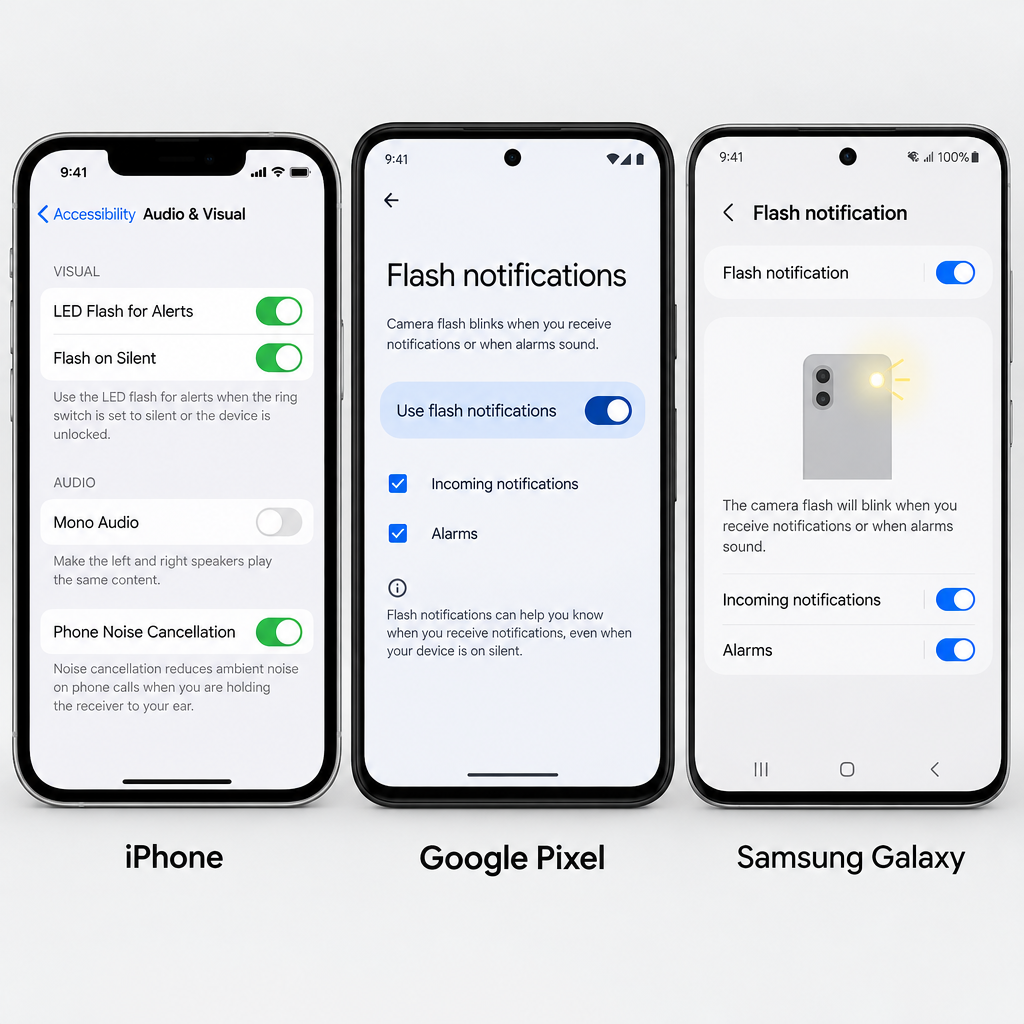
Start here before you buy anything. The feature is free and takes under a minute to set up.
Setup steps
- iPhone: open Settings, then Accessibility, then Audio & Visual.
- Tap LED Flash for Alerts and switch it on.
- Turn on Flash in Silent Mode if you keep the ringer off.
- Google Pixel: open Settings, then Accessibility, then Flash notifications.
- Turn on Camera flash notification, Screen flash notification, or both.
- Samsung Galaxy: open Settings, then Accessibility, then Advanced settings, then Flash notification.
The catch is placement. The camera LED is on the back, so the phone needs to lie face down for you to notice it. In a pocket or bag, the flash is useless. That limitation is why many people add a dedicated signaler.
Hearing tip
Pair flash alerts with a strong vibration pattern. Then you’re covered when the phone is in your pocket and when it’s across the room.
Picking a landline or VoIP flasher
Check three things before you buy:
- Line type. Classic plug-in flashers expect an analog ring signal. Many VoIP and cable phone services deliver one through a home adapter, but fully digital office systems often don’t. Confirm compatibility with the seller.
- Lamp output. A built-in strobe is brightest. A lamp outlet lets you use a bedroom lamp you already own, which is easier on the eyes at night.
- Room coverage. One flasher covers one room. If you move between the kitchen, living room and bedroom, consider a whole-home system with wireless receivers.
Get equipment free or at low cost
Most US states run a telecommunications equipment distribution program. These programs give amplified phones, ring signalers and similar devices to eligible residents, often at no charge. Eligibility rules vary by state. Many programs require residency and a form signed by a professional who can confirm your hearing loss.
If flashing lights still leave you missing parts of calls, a captioned phone or a telecommunications relay service can turn the conversation itself into text.
See a professional
If you notice a sudden drop in hearing, even in one ear, treat it as a medical emergency and see a doctor within 24 to 48 hours. Gradual changes are worth a hearing test with an audiologist.
FAQ
Where can I buy light for my phone?
Ring flashers are sold by assistive device retailers, hearing-loss specialty shops and major online marketplaces. Before you pay retail, check your state’s equipment distribution program. You may qualify for one free.
How do I turn my phone into a blacklight?
You can’t make a true UV light from a phone. A common trick covers the flashlight with clear tape colored in blue and purple marker. That makes some fluorescent items glow faintly, but it isn’t real ultraviolet and won’t reveal what a genuine UV torch does.
What is the light from phones called?
The bright white light on the back of a smartphone is the LED flash, which also works as the flashlight or torch. Some older Android phones also had a small notification LED on the front.
How do I turn the light on on my telephone?
On an iPhone, open Control Center and tap the flashlight icon. On Android, swipe down to Quick Settings and tap Flashlight or Torch. To make the light flash for calls instead, use the accessibility settings in the steps above.