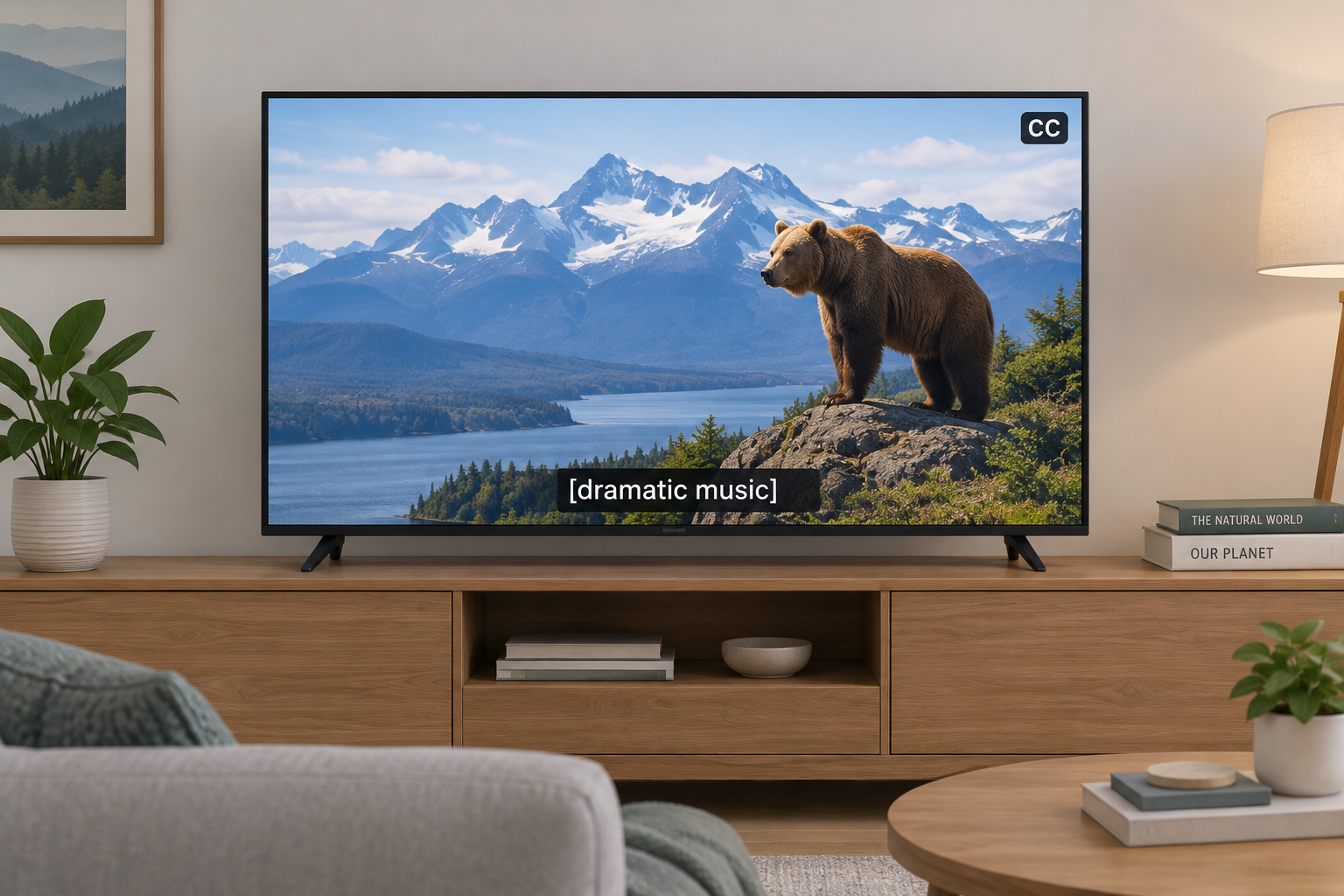
Closed captioning is on-screen text that shows a program’s spoken dialogue and important sounds. “Closed” means viewers can switch it on or off, unlike open captions, which are burned into the video. Below we explain how captions are made, how they reach your TV, phone, or browser, what US law requires, and what to do when they fail.
Last updated: October 29, 2026.
Closed Captioning Definition and Meaning
Closed captions are a text version of a video’s audio. They cover what people say, who is saying it when that isn’t obvious, and the non-speech sounds that carry meaning: a phone ringing offscreen, [ominous music], [crowd cheering], [door slams]. That last part separates captions from simple subtitles.
The word “closed” is about control, not content. The captioned text travels alongside the video as hidden data, and your TV or player decodes it only when you press CC or turn captions on in settings. Open captions are permanent and part of the picture itself.
Captions began as an accessibility tool for people who are Deaf or hard of hearing, and that is still their most important job. The audience is much larger now. Captions help people watching in a loud bar or next to a sleeping baby, viewers learning English, anyone with auditory processing difficulties, and everyone who has rewound a scene to catch a mumbled line.
Captions, Subtitles, and SDH Compared
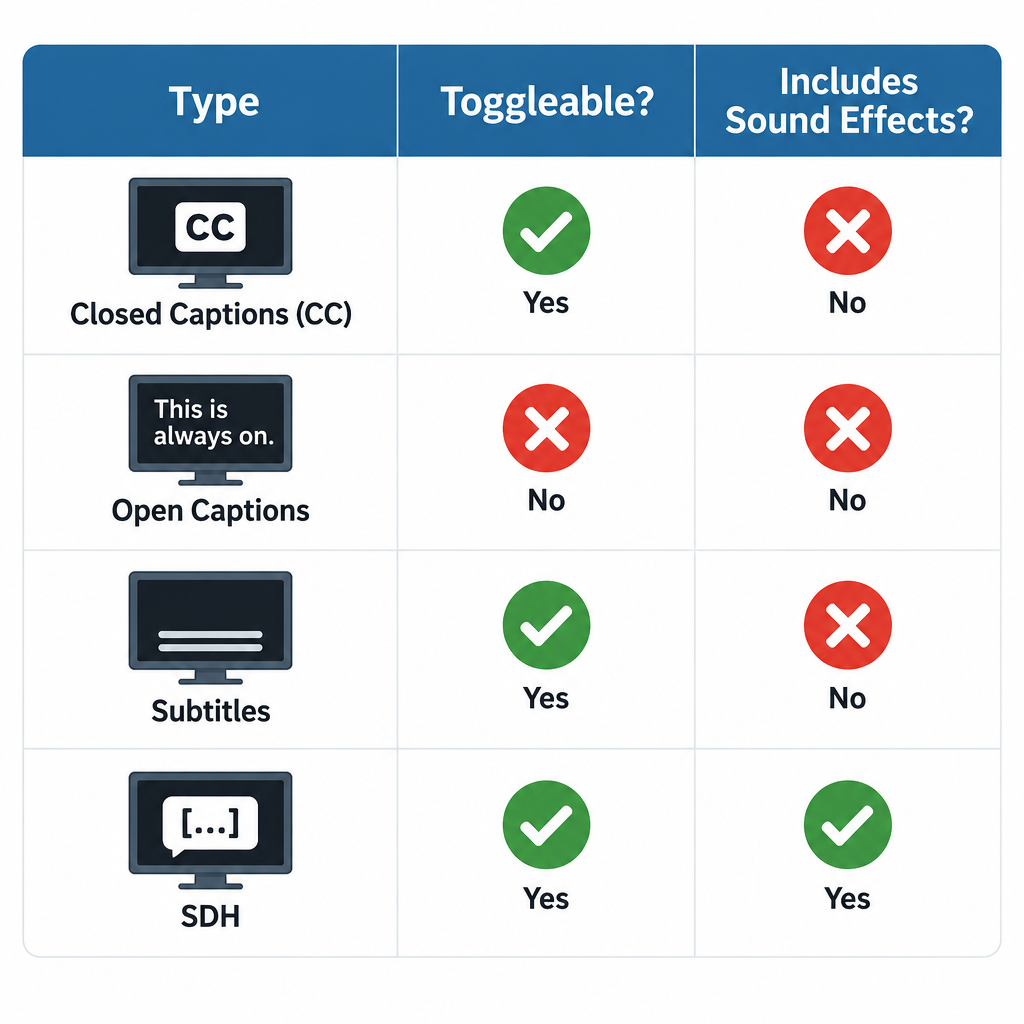
These terms get mixed up on streaming menus, so here is how they actually differ.
| Type | Can you turn it off? | Includes sound effects and speaker IDs? | Main purpose |
|---|---|---|---|
| Closed captions (CC) | Yes | Yes | Access for Deaf and hard of hearing viewers |
| Open captions | No, burned into video | Usually yes | Access where viewers can’t control settings |
| Subtitles | Yes | No, dialogue only | Translation for hearing viewers |
| SDH (Subtitles for the Deaf and Hard of Hearing) | Yes | Yes | Caption-style text in subtitle format, common on streaming and discs |
| Forced subtitles | No, shown automatically | No | Translating brief foreign-language lines or signs |
If a streaming service offers both “English” and “English (CC)” or “English [SDH],” we recommend the CC or SDH track for anyone with hearing loss. The plain “English” track often leaves out sound cues.
How Closed Captioning Works
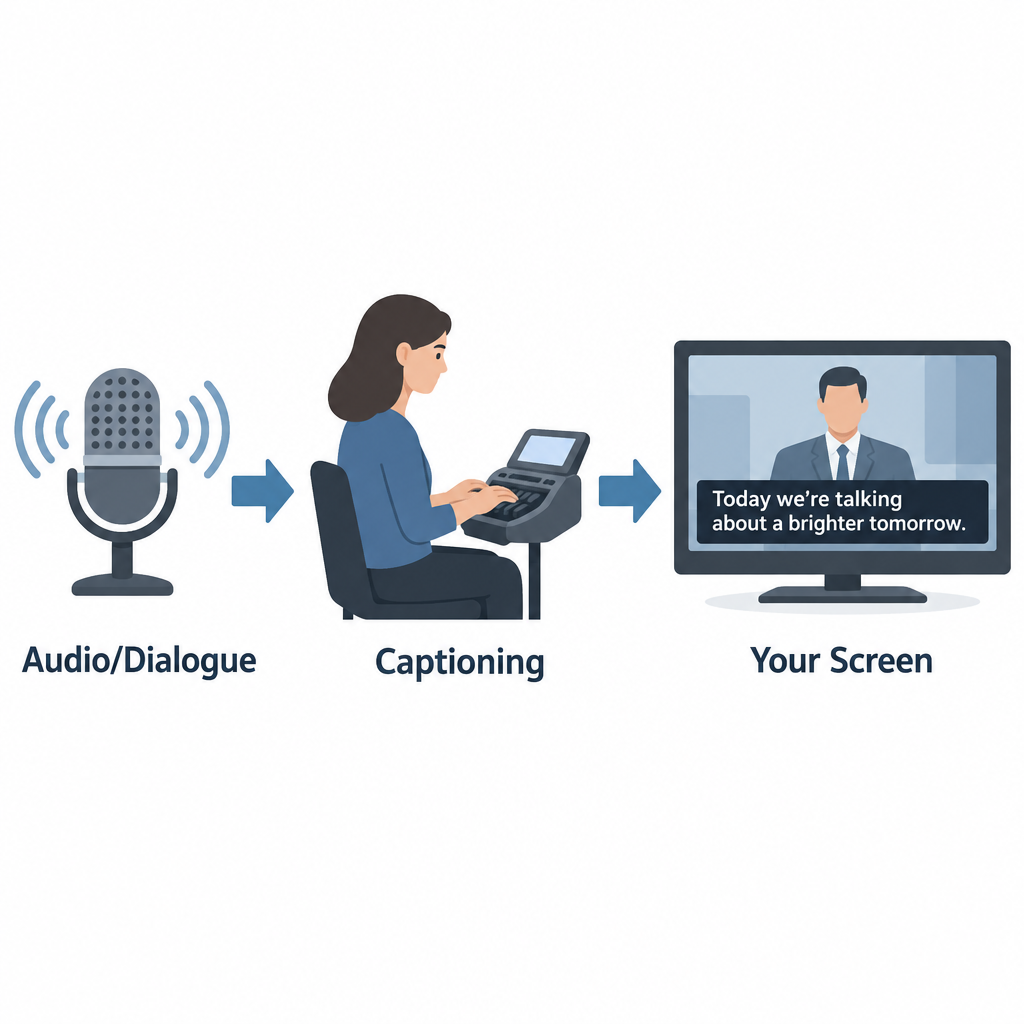
How captions are created
There are two broad ways to produce captions, and they look different on screen.
Offline (prerecorded) captioning is done after a program is finished. A captioner transcribes the audio, times each caption to the frame, positions text so it doesn’t cover faces or on-screen graphics, and adds sound descriptions. Movies, scripted series, and most streaming content are captioned this way. Done well, offline captions are near-perfect and appear in pop-on blocks that match each line of dialogue.
Real-time (live) captioning happens as the program airs. Trained stenocaptioners use a stenotype machine to write phonetic chords that software turns into text, often at well over 200 words per minute. Voice writers repeat the audio into speech recognition software trained on their own voice. More and more, broadcasters and platforms use automatic speech recognition (ASR) with no human in the loop. Live captions usually roll up line by line and lag a few seconds behind the speaker, which is why news and sports captions can feel delayed or contain errors.
How captions reach your television
Analog US television carried captions on line 21 of the vertical blanking interval, a part of the signal you never saw. That standard, now called CEA-608, allowed only basic white text on a black box.
Digital broadcasting uses CEA-708, which travels inside the digital stream and lets viewers change font, size, color, background, and opacity. Most modern TVs, cable boxes, and streaming devices still support both, since lots of content carries legacy 608 data alongside 708.
How captions work online
Online video usually keeps captions in a separate text file synced to timecodes. Common formats include SRT (simple and widely supported), WebVTT (the web standard for HTML5 video), and TTML or DFXP (used by many broadcasters and streaming services). The player reads the file and draws captions over the video, which is why online caption styling depends on your app and device settings.
A Short History of Closed Captioning in the US
| Year | Milestone |
|---|---|
| 1972 | PBS airs The French Chef with open captions, an early captioned national broadcast |
| 1980 | Closed captioning debuts on ABC, NBC, and PBS; viewers need a set-top decoder |
| 1982 | Real-time captioning makes live captioned TV possible |
| 1990 | Television Decoder Circuitry Act passes |
| 1993 | TVs 13 inches or larger sold in the US must include caption decoders |
| 1996 | Telecommunications Act leads to FCC rules requiring most TV programming to be captioned |
| 2010 | 21st Century Communications and Video Accessibility Act (CVAA) signed |
| 2014 | FCC adopts caption quality standards for TV |
| 2024 | FCC adopts rules requiring caption display settings to be readily accessible on devices |
FCC Closed Captioning Rules
In the US, the Federal Communications Commission requires most television programming to carry closed captions. This applies to broadcast stations, cable and satellite providers, and other video programming distributors. Rules cover English programming and Spanish-language programming.
Caption quality standards
Since 2014, FCC rules hold TV captions to four quality standards:
- Accuracy: Captions match the spoken words, in their original language, and convey background noises and speaker identities.
- Synchronicity: Captions appear at the same time as the matching audio, at a speed viewers can read.
- Completeness: Captions run from the start of the program to the end.
- Placement: Captions don’t block important visual content such as faces, on-screen text, or graphics.
The FCC holds prerecorded programming to a higher bar than live programming, since live captioners can’t preview what’s coming.
Captions on online video
The CVAA extended captioning to the internet, but with a key limit. Video shown online must have captions if it aired on US television with captions. This covers full episodes on network apps and streaming services, and it now also covers clips of those shows posted online. Web-only content that never aired on TV, like most original YouTube videos, isn’t covered by these FCC rules, though other laws such as the ADA can still apply to certain organizations.
Exempt Programming
Not every program needs captions. The FCC exempts several categories. The main ones:
| Exemption | What it covers |
|---|---|
| Overnight hours | Programming shown between 2 a.m. and 6 a.m. local time |
| Short advertisements | Ads under five minutes long |
| Short promos and PSAs | Promos, interstitials, and PSAs under 10 minutes (federally funded PSAs must be captioned) |
| Small channels | Channels with under $3 million in annual gross revenue |
| New networks | A network’s first four years of operation |
| Primarily textual programs | Programs where the content is already on screen as text |
| Local non-news content | Locally produced programming with no repeat value |
| Local instructional content | Instructional programming produced locally by public TV stations for students |
Distributors can also petition the FCC for an exemption if captioning would be economically burdensome. These petitions are reviewed case by case and aren’t granted automatically.
How to Turn On Closed Captions
Settings paths change with software updates, but these were the standard locations as of our last check.
| Device or app | Where to find captions |
|---|---|
| iPhone and iPad | Settings > Accessibility > Subtitles & Captioning > Closed Captions + SDH |
| Android phones | Settings > Accessibility > Caption preferences (wording varies by maker) |
| Apple TV | Settings > Accessibility > Subtitles and Captioning |
| Roku | Settings > Accessibility > Captions mode |
| YouTube | CC button on the player, or press C on a keyboard |
| Netflix | Audio & Subtitles icon during playback |
| Windows 11 (live captions for any audio) | Press Windows + Ctrl + L |
Turn on captions on most TVs
- Press the CC or Subtitle button on your remote, if it has one.
- If not, open Settings and look for Accessibility.
- Select Closed Captions or Captions and set it to On.
- Choose CC1 for standard English captions on broadcast TV.
- Open Caption Style or Digital Caption Options to change size and color.
Hearing tip
If captions are on but you see nothing on a cable box, the TV and box may both be trying to decode them. Turn captions on in one place only, usually the cable box or streaming device, and off on the TV.
Phones and computers now offer live captions generated on the device itself. Android’s Live Caption, iPhone’s Live Captions, Windows Live Captions, and Chrome’s Live Caption can caption almost any audio, including video calls and podcasts with no captions of their own. They’re automatic, so expect mistakes with names, accents, and crosstalk.
Common Closed Captioning Messages and Problems
Many people search for a “closed captioning message” after seeing something odd on screen. The most common ones:
- “Captions not available” or a greyed-out CC button: the program has no caption track, or the app isn’t receiving it.
- CC1, CC2, and similar options: different caption channels. CC1 is almost always the main English captions; CC2 or CC3 often carry Spanish.
- “Captioning made possible by…”: a sponsor credit, not an error.
- [NO AUDIO] or [INAUDIBLE]: the captioner couldn’t hear or understand the audio.
- Garbled letters or repeated words: usually a live captioning error or a signal problem.
Other problems we hear about often: captions running far behind dialogue, captions cutting off before a show ends, text covering the score in a sports game, and captions disappearing after a channel change or software update.
What to Do If You Experience Closed Captioning Problems
Start with the basics. Restart the TV and set-top box, confirm captions are on in only one device, and check whether the problem affects one channel or all of them. If one channel or program keeps failing, it’s a distributor problem, not your equipment.
Filing a complaint or seeking assistance
For TV captioning problems in the US, you can complain either to your video programming distributor (your cable, satellite, or streaming TV provider) or directly to the FCC. Distributors are required to publish contact information for captioning complaints, often on their website and billing statements.
File within 60 days of the problem. Include the channel, program name, date and time, your provider, and a description of what went wrong. A distributor that receives your complaint generally must respond within 30 days. Complaints to the FCC go through its Consumer Complaint Center, which accepts complaints online and by phone, and the agency also takes complaints in ASL by video call.
For captioned phone calls, which follow separate rules, the right route is telecommunications relay service, including captioned telephone services.
Who Benefits From Closed Captioning
For people who are Deaf or hard of hearing, captions are often the difference between full access to a program and guessing. Many people with hearing aids or cochlear implants use captions too, because TV audio mixes music, effects, and quick dialogue in ways that are hard to follow even with good amplification.
See a professional
If you notice you suddenly need captions to follow speech you used to hear easily, book a hearing test with an audiologist. Sudden hearing loss in one or both ears is a medical emergency, so see a doctor the same day.
How Closed Captioning Will Evolve
Automatic speech recognition is reshaping captioning quickly. It’s cheap and instant, so far more content now has captions than ever before. Quality is the catch. ASR still struggles with names, technical terms, overlapping speakers, and accented speech, and it rarely adds meaningful sound descriptions without human editing.
We expect the best results to keep coming from hybrid workflows, where ASR drafts and trained captioners correct. On the device side, the FCC’s 2024 order on readily accessible caption settings should make it easier to find and customize captions without digging through menus. Broadcast standards are moving too, with ATSC 3.0 (NextGen TV) supporting more flexible caption formats.
FAQ
What does closed captioning mean?
It means on-screen text showing a program’s dialogue and important sounds that viewers can turn on or off. “Closed” refers to that on-off control.
What is the difference between closed and open captioning?
Closed captions are hidden until you activate them. Open captions are burned into the video and appear for everyone, with no way to hide them.
Are subtitles the same as closed captions?
No. Subtitles usually show dialogue only and assume the viewer can hear. Closed captions also describe sound effects, music, and who is speaking.
Why are live TV captions delayed and full of errors?
Live captions are created in real time by stenocaptioners, voice writers, or speech recognition software. They can only caption what they’ve already heard, which adds a lag of a few seconds and leaves no time to fix mistakes.
Does every online video have to be captioned?
No. FCC rules require captions on online video only if it aired on US television with captions. Other laws can require captions for specific organizations, such as government agencies and some businesses.
Is closed captioning free to use?
Yes. Viewers pay nothing extra to turn on captions on TV, streaming services, or built-in phone and computer features.